The builder
Settings
The gear icon in the site switcher menu opens Site Settings. Five tabs.
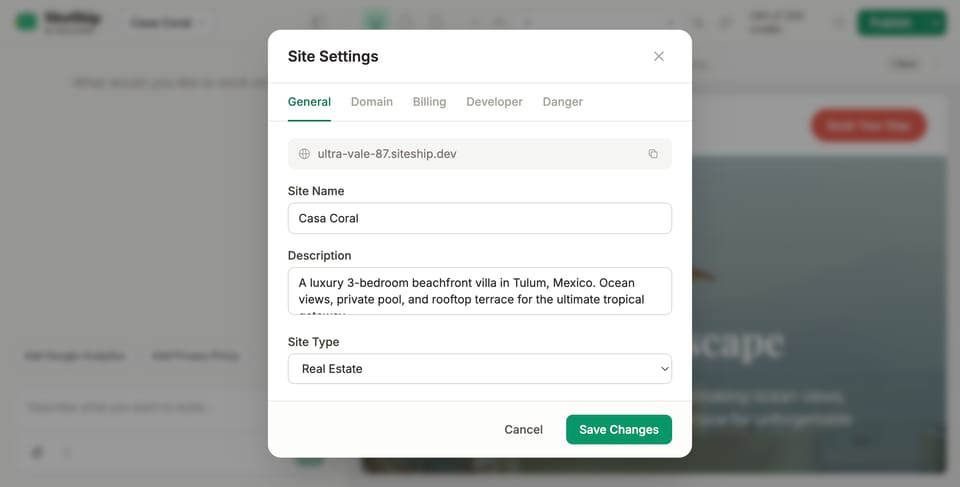
General
Core site metadata. Most of this is also editable from the chat — the builder will pick the right fields when you ask things like "change my site name to...".
- Default URL — your
*.siteship.devsubdomain (e.g.ultra-vale-87.siteship.dev). Always works, even after you connect a custom domain. - Site name — used in the browser tab, OG cards, sitemap.
- Description — meta description for the homepage and OG fallback.
- Site type —
saas,blog,local-business,portfolio,real-estate, etc. Determines which JSON-LD schema the engine emits.
Domain
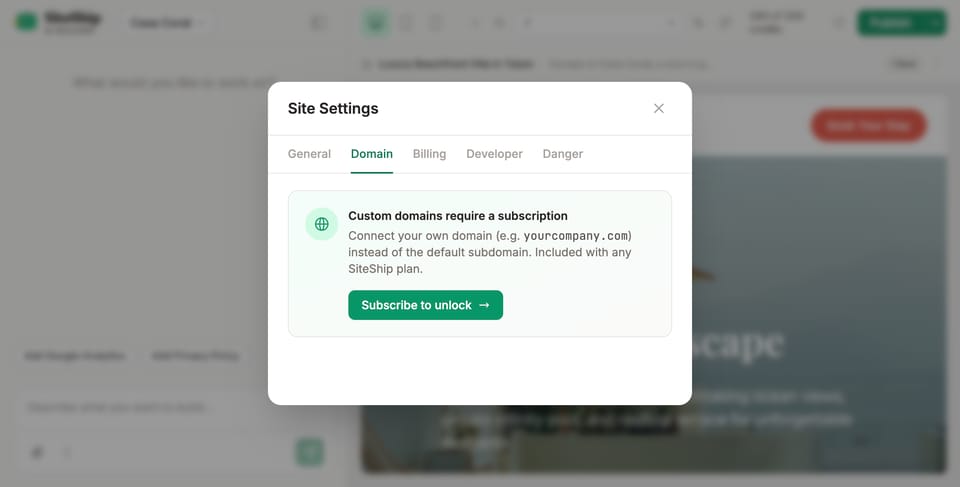
Custom domains require a paid subscription (any plan). On the trial, you'll see a Subscribe to unlock prompt; once subscribed, this tab walks you through:
- Adding your domain (e.g.
yourcompany.com). - The two DNS records to set at your registrar (we tell you which based on apex vs. subdomain).
- Verification status — turns green when DNS resolves.
- SSL provisioning — automatic via Let's Encrypt, no configuration.
Walkthrough: Connect a custom domain.
Billing
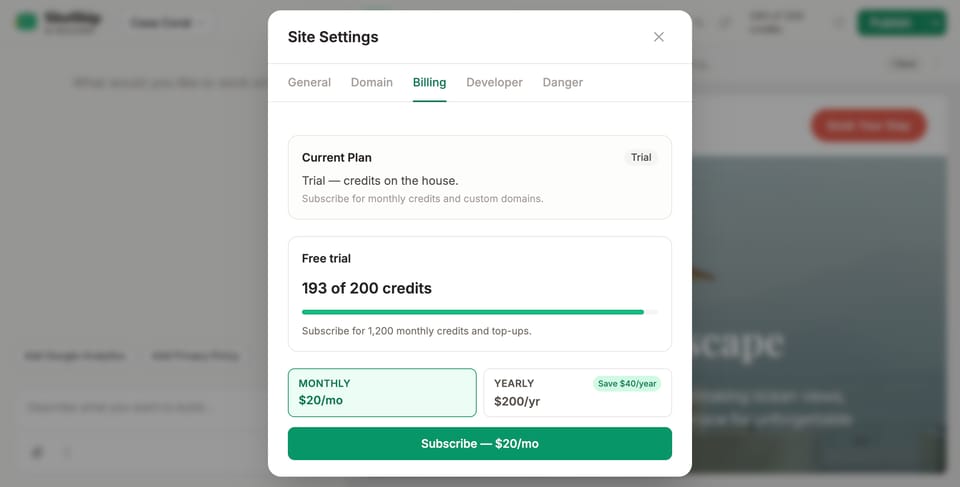
- Current plan — Trial or active subscription.
- Credits — AI usage allowance for the period and how much you've used (e.g. 193 of 200 credits).
- Plan picker — Monthly ($20/mo) or Yearly ($200/yr, save $40).
- Top up — once subscribed, Add $50 credits for additional usage mid-cycle.
- Manage billing — opens the Stripe Customer Portal to update payment method or download invoices.
Each chat instruction in the builder consumes a small amount of credit. Most simple edits cost well under one credit. Heavy generation (a fresh full site, a blog migration) costs more.
Danger
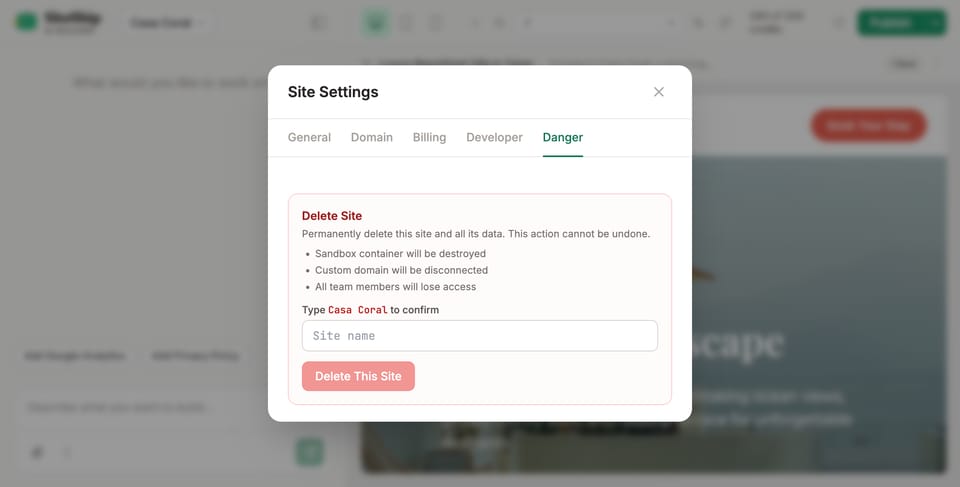
Delete site. Permanently deletes the site and its data. To confirm, type the site name into the field. Once confirmed:
- The sandbox container is destroyed.
- Any custom domain is disconnected.
- Team members lose access.
This action cannot be undone. If you just want to take the site dark temporarily without deleting, contact support — soft-delete with a 30-day recovery window is available.